
EPFO Member Passbook Download 2026 – Check PF Balance Online
The EPFO Member Passbook allows salaried employees to conveniently access and review their Provident Fund (PF) account details online. Through the passbook, members can check their contribution history, interest credits, employer contributions, and other account transactions. Regularly checking the EPFO Passbook helps you monitor your retirement savings, keep track of PF deposits, and identify any discrepancies in contributions.
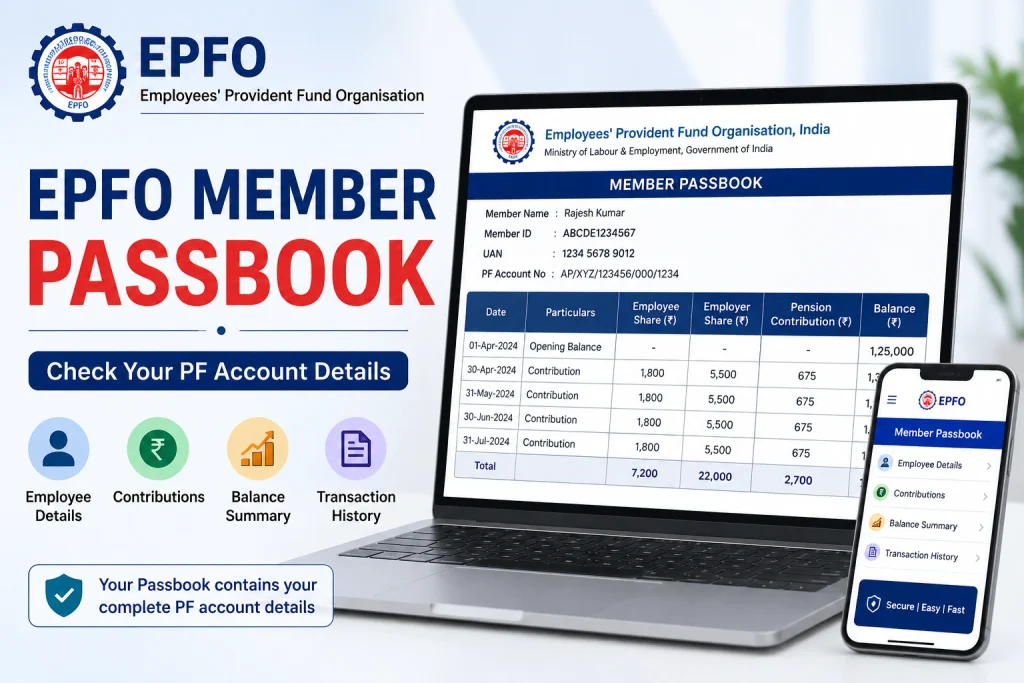
What is an EPFO Member Passbook?
The EPFO Member Passbook is an online record that provides detailed information about an employee’s EPF account transactions. It shows monthly contributions made by both the employee and employer, available PF balance, interest credits, withdrawals, and transfer details. By checking the passbook regularly, members can easily monitor their PF savings and keep track of their retirement fund.
Members can view or download their EPF passbook online after activating and registering their UAN. The passbook service may take some time to become available after UAN registration or activation.
How to Download EPFO Member Passbook Online?
The EPFO Member Passbook allows EPF members to check their PF contributions, interest, balance, withdrawals, and other transaction details online. You can access the passbook through the EPFO portal by following these steps:
- Visit the official Employees’ Provident Fund Organisation website.
- Go to Our Services and select For Employees.
- Click on Member Passbook to open the EPFO passbook login page.
- Enter your UAN, password, and captcha to log in.
- After successful login, you will see the Select Member ID option.
- Select the relevant Member ID to view your PF passbook.
- Check your contribution and transaction details and use the available option to download or print the passbook for your records.
How to Download EPFO Member Passbook Through the UMANG App?
EPF members can also access their EPFO Passbook through the UMANG app. The app provides access to several EPFO services from a mobile device.
- Install the UMANG app from the Google Play Store or Apple App Store.
- Open the app and log in using your registered mobile number and OTP.
- Search for and select EPFO from the available services.
- Choose the View Passbook option.
- Enter your UAN when requested.
- Complete the verification using the OTP sent to your registered mobile number.
- After successful verification, you can view your EPF account details and passbook.
Make sure that your mobile number is linked with your UAN so that you can complete the OTP verification process.
How to View EPFO Service History Online?
Your EPFO service history provides information about your employment records and the Member IDs associated with different employers. Checking this information can help you verify whether your previous and current employment records are correctly reflected.
To check your service history:
- Log in to the EPFO member portal using your UAN and password.
- Open the Service History section.
- Review the Member IDs linked with your UAN.
- Check the employment details and contribution records associated with each employer.
- Compare the information with your employment and salary records to identify any discrepancies.
Regularly checking your service history along with the EPFO Member Passbook can help you keep track of your PF account more effectively.
EPFO Member Passbook Details
The EPFO Member Passbook contains various details related to your EPF account and transactions. Depending on your account and applicable contributions, you may find the following information:
- Employee’s monthly EPF contribution
- Employer’s EPF contribution
- Employer’s contribution toward the pension scheme
- Interest credited to the EPF account
- PF withdrawals and advances
- Transfers from previous PF accounts
- Opening and closing balance
- Monthly transaction details
- Total accumulated EPF balance
These details make it easier for members to understand their PF account activity and monitor their long-term retirement savings.
Benefits of EPFO e-Passbook
The EPFO e-Passbook is useful for employees who want to keep track of their PF account without depending on physical statements. Some of its key benefits include:
- Easy access: View your PF transaction details online whenever required.
- Contribution tracking: Check whether employee and employer contributions are being credited.
- Interest monitoring: Review interest credits reflected in your EPF account.
- Transaction history: Keep a record of contributions, withdrawals, transfers, and other transactions.
- Retirement planning: Monitoring your accumulated PF balance can help you better understand your retirement savings.
- Online convenience: Access your account statement digitally instead of maintaining physical records.
- Discrepancy checking: Reviewing your passbook can help you identify missing or incorrect contribution entries.
EPFO Member Passbook vs PF Balance
The EPFO Member Passbook provides a detailed transaction-wise record, whereas a PF balance generally refers to the total amount accumulated in your EPF account. The passbook can therefore be more useful when you want to understand how your total balance has been built through contributions and interest.
Conclusion
The EPFO Passbook is a convenient way to monitor your PF account online. It provides important information such as employee and employer contributions, interest credits, withdrawals, transfers, and the available balance. Members can access their passbook through the EPFO online service and, where supported, through the UMANG app.
Checking your passbook regularly can help you keep track of your retirement savings and identify potential discrepancies in your PF transactions.
FAQs About EPFO Member Passbook
Who can download the EPFO Passbook?
Generally, an EPF member with an activated UAN and the required registered mobile number can access their EPF passbook online, subject to EPFO service availability.
How can I check my EPFO Member Passbook?
You can check your EPFO Member Passbook by visiting the EPFO passbook service, logging in with your UAN and password, and selecting the relevant Member ID.
Can I access my EPF passbook through UMANG?
Yes. The UMANG app provides EPFO services, including access to the passbook for eligible members after the required UAN and OTP verification.
Why is my latest PF contribution not showing in the passbook?
A recent contribution may not appear immediately if it is still being processed or has not yet been reflected in the passbook. You can check again later and contact your employer if the contribution remains missing.
What information can I check in the EPFO Passbook?
You can generally check employee and employer contributions, pension-related contributions, interest credits, withdrawals, transfers, and the available PF balance.
Can I download the EPFO Member Passbook as a PDF?
After logging in and selecting your Member ID, you can use the available download or print facility to save a copy of your passbook for personal records.