
EPFO Member Login 2026 – UAN Login & Member Passbook
EPFO Member Login allows EPF members to securely access their provident fund account through the official EPFO Unified Member Portal using their UAN and password. After completing the EPFO Login, members can check their PF balance, view or download the EPF passbook, track claim status, update KYC details, submit online claims, and manage their EPF account.
If you are unable to complete the EPFO Member Login because of an incorrect UAN, forgotten password, or technical issues with the portal, this guide explains the login process and provides useful solutions to common login problems.
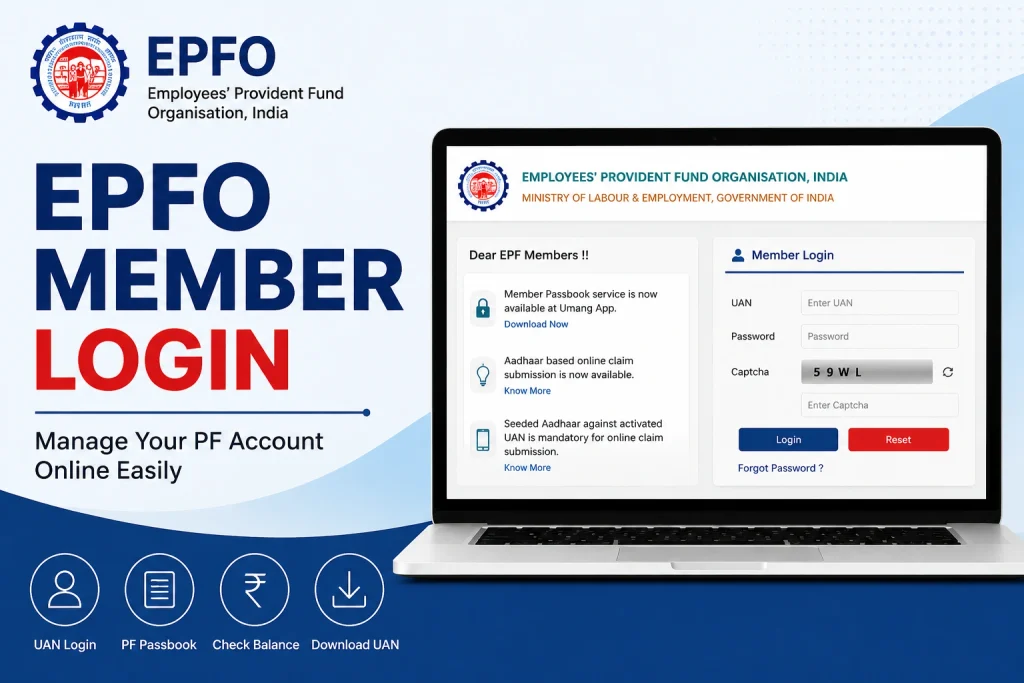
EPFO Member Portal: Quick Facts
| Feature | Details |
| Login Credentials Required | 12-digit UAN, Password, and Captcha |
| Mandatory Pre-condition | UAN must be activated on the EPFO portal |
| Mobile App Alternative | UMANG App |
| Key Services Available | Passbook View, Claim Settlement, KYC Updates, and Fund Transfers |
| Helpdesk Number | 14470 (Toll-Free) |
Quick EPF Balance Check Without UAN
Although the EPFO Member Login process generally requires an activated UAN and password, employees may sometimes look for a quicker way to access their EPF-related information.
Some third-party financial platforms may provide tools to help users understand or estimate their EPF details. However, members should verify their actual PF balance and contribution records through official EPFO services or other authorized channels. Avoid sharing your UAN, password, OTP, or other sensitive account details with unverified websites.
The official EPFO member portal allows users to securely manage their provident fund account and access services such as:
Check EPF balance and contribution details
- EPF passbook
- Claim status
- KYC updates
- Online EPF claims and related services
The Employees’ Provident Fund Organisation (EPFO) is a statutory organisation established under the Employees’ Provident Funds and Miscellaneous Provisions Act, 1952. Its online member services provide a central platform for EPF account management.
This guide explains the EPFO Member Login process, UAN activation, access to the member dashboard, and the key services available to EPF members.
Prerequisites for a Smooth EPFO Member Login
Before starting the EPFO Member Login, make sure you have the necessary details and account access ready. Having the correct information can help you avoid common login errors and complete the process without unnecessary delays.
- Valid UAN: Your Universal Account Number (UAN) is a unique 12-digit number issued by EPFO. If you do not remember your UAN, you can contact your employer or check your salary slip, where it is often mentioned.
- Registered Mobile Number: Keep the mobile number linked to your EPF account active. An OTP may be required for verification during UAN activation, password reset, and other EPFO services.
- Activated UAN: Simply having a UAN is not sufficient. Your UAN must be activated before you can complete the EPFO Member Login and access your member account and online services.
What Is EPFO Login and Why Is It Important?
EPFO Login is the official online facility provided by the Employees’ Provident Fund Organisation (EPFO) that allows employees and employers to access and manage various provident fund services digitally. EPF members can use their UAN and password to securely access their accounts through the EPFO member portal.
The EPFO Member Login makes provident fund management more convenient, transparent, and accessible. After logging in, employees can check their PF balance, view or download their EPF passbook, track claim status, update KYC details, and access various online services without having to visit an EPFO office.
It also reduces the need to depend on an employer or HR department for routine PF-related information. Members can access their account details whenever required and keep track of their contributions.
For employers, EPFO Login provides access to services related to employee contributions, compliance, records, and other EPF-related activities. Overall, the EPFO online portal simplifies PF management, saves time, and gives members greater control over their provident fund savings.
EPFO Login and UAN Login Process for Employers
Employers can use the EPFO online portal to manage provident fund-related activities, employee contributions, compliance, and other employer services. The EPFO Member Login and UAN Member Login facilities are primarily designed for EPF members, while employers have a separate employer login portal.
Steps for EPFO Employer Login
- Open the official EPFO website and select “For Employers” from the “Services” section.
- On the next page, look for “Online ECR/Challan Submission/OTCP” under the available services. Selecting this option will take you to the EPF Unified Portal for Employers.
- On the employer portal, choose “Employer’s Sign In” to access the login page. Make sure you select the appropriate sign-in option if multiple login choices are displayed.
- Registered establishments can sign in using their assigned username and password. Employers should enter their credentials carefully to avoid login errors.
- New establishments can use the “Online Registration of Establishment” option available through the EPFO services section. Before completing registration, carefully read the instructions and requirements provided on the portal.
Note: The UAN Member Login is intended for individual EPF members, whereas employers use separate credentials to access employer-specific EPFO services.
Frequently Asked Questions (FAQs)
What is EPFO Member Login?
EPFO Member Login allows EPF members to securely access their provident fund account using their UAN and password. Members can check their PF balance, view their passbook, track claims, and access other online services.
What is UAN Member Login?
UAN Member Login is the online login facility through which EPF members can access their accounts using their Universal Account Number (UAN) and password.
Can employers use the UAN Member Login?
No. The UAN Member Login is designed for individual EPF members. Employers need to use the separate EPFO Employer Portal with their employer credentials.
What credentials are required for EPFO Employer Login?
Employers generally need their registered establishment login credentials, such as username and password, to access the employer portal.
What services are available after EPFO Member Login?
After EPFO Member Login, members can access services such as EPF passbook, PF balance, claim status, KYC updates, and other account-related facilities.
What should I do if my EPFO login password is forgotten?
If you forget your password, use the password reset option available on the EPFO member portal and follow the verification steps to create a new password.
Is UAN required for UAN Member Login?
Yes. An active UAN is required for UAN Member Login, along with the registered login credentials.